Create professional change communications in minutes using Canva AI without starting from scratch.
Creating business change communications can be time-consuming, especially when you need to deliver the same message across multiple formats.
This page shows you how to use Canva AI to create professional presentations, stakeholder updates, posters, and executive summaries in minutes—without compromising on quality.
Whether you're a Business Change Manager, Project Manager, or working in transformation, these practical tutorials will help you work faster, stay consistent, and deliver clearer communications.
Watch the Tutorial
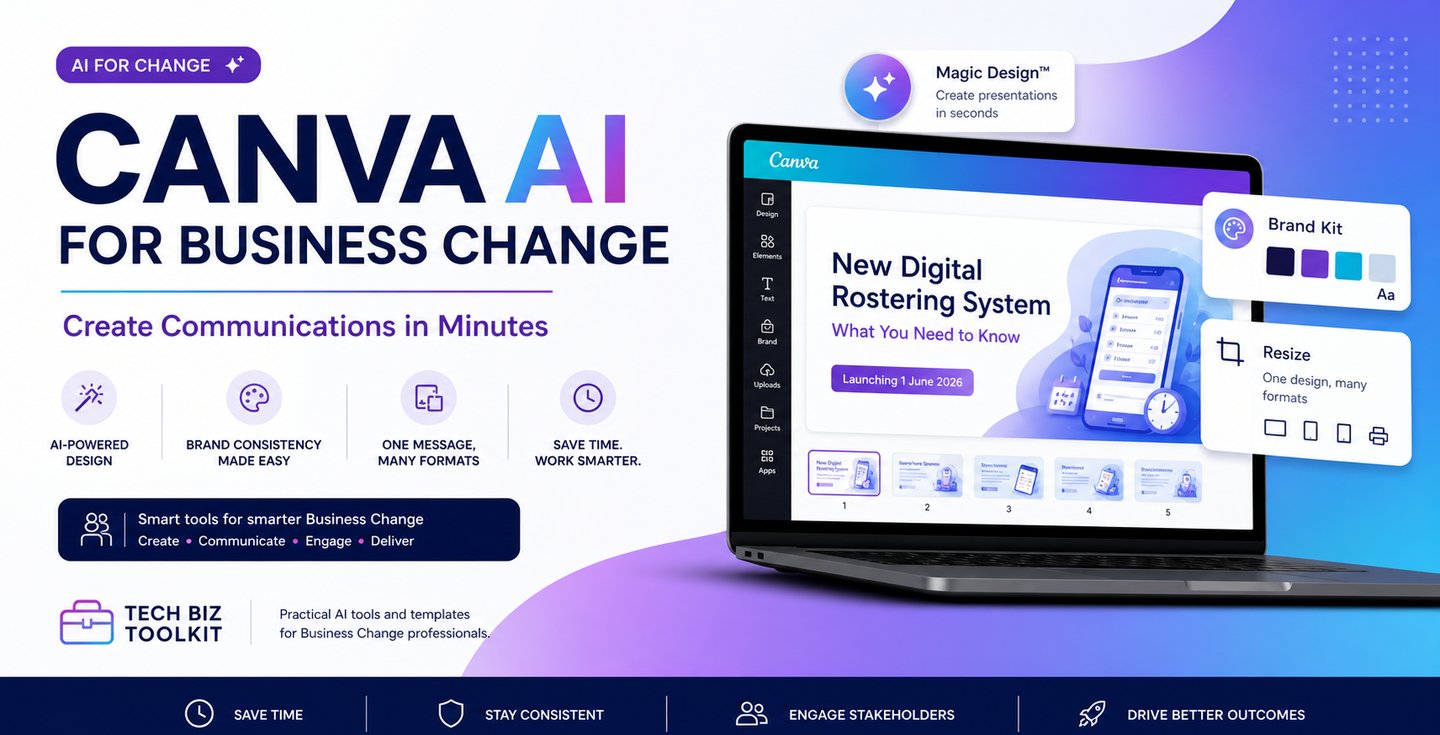
In this step-by-step tutorial, I walk through how to create a full set of business change communications using Canva AI from a simple message to multiple outputs.
Watch how I create change communications in minutes using Canva AI 👇 click on image
What You Can Do with Canva AI
With Canva AI, you can turn a simple message into a full set of communication assets quickly and efficiently.
This includes:
Creating presentations from a simple brief
Building executive summaries for leadership teams
Designing posters and internal campaign materials
Producing stakeholder communications
Developing training and awareness content
Instead of starting from scratch each time, you can create once and reuse your content across multiple formats.
Step-by-Step: Create Communications with Canva AI
1. Turn a Brief into a Presentation
Start with a simple message or communication brief.
Using Canva AI (Magic Design), you can instantly generate a structured presentation with slides covering key information such as:
What’s changing
What it means for users
Key dates and actions
This removes the need to manually build presentations from scratch.
2. Apply a Brand Kit for Consistency
Consistency is critical in business change.
With Canva’s Brand Kit, you can:
Apply your organisation’s colours
Set consistent fonts
Add logos across all slides
This ensures your communications look professional and aligned with your brand.
3. Edit Visuals Using AI
Canva AI allows you to quickly enhance and customise visuals.
You can:
Change image backgrounds
Apply filters and adjustments
Generate new images using AI (Magic Media)
This helps ensure your visuals match your message and audience.
4. Use Version History to Stay in Control
Not happy with a change?
Canva’s version history allows you to:
Review previous versions
Revert back instantly
Experiment without risk
This is especially useful when working on fast-moving change communications.
5. Resize Content into Multiple Formats
One of the most powerful features is the ability to reuse your content.
With Canva’s resize feature, you can transform a presentation into:
Banners
Posters
Executive summaries
Social content
This allows you to deliver the same message across multiple channels without recreating everything.
Why This Matters for Business Change
Business Change professionals often need to communicate the same message in different ways to different audiences.
This can be time-consuming and inconsistent if done manually.
Using Canva AI helps you:
Save time by creating once and reusing content
Maintain consistency across communications
Deliver clear and engaging messages
Respond faster to change and stakeholder needs
This is a practical way to apply AI in your day-to-day work—not just theory, but real delivery.
If you want to go further with AI in Business Change, explore more tools and resources:
Explore More Tutorials
This is part of a growing set of practical tutorials designed to help Business Change professionals work smarter.
More tutorials coming soon, including:
Canva AI for stakeholder communications
Creating executive summaries with AI
Comparing Canva AI vs traditional tools
AI-powered communication workflows
Start Creating Smarter Communications
The key takeaway is simple:
Start with one clear message.
Create one strong asset.
Apply consistency using a brand kit.
Reuse and resize instead of starting from scratch.
Work Smarter with AI
If you want to go further with AI in Business Change, explore more tools and resources:
👉 Visit the AI for Change hub
https://techbiztoolkit.com/ai-for-change
👉 Explore AI prompts for Business Change
https://techbiztoolkit.com/read-prompt-model
👉 Watch more tutorials
https://techbiztoolkit.com/copilot-tutorials
More Tutorials Coming
Smart Tools for Smarter Business Change
Tools and insights for effective business transformation.
Email: info@techbiztoolkit.com
© 2026. All rights reserved.